MyRealFood App Redesign
Home & Recipe
Company
MyRealFood
Year
2023
Role
Product Design
Product Strategy
Design System
User Research
User Testing
UX UI
MyRealFood stands as Spain's leading app for a healthy lifestyle. The app features a community of over 2 million users who share recipes based on real food, offer advice, and provide mutual motivation. Additionally, the app enables users to assess the nutritional quality of food through barcode scanning, providing nutritional information for recipes as well.
Overview
My Role
As a product designer in MyRealFood, my job was to redesign the app and define the product and brand design system. In this project I redesigned the Home and Search screens and Recipe cards. I worked along my product manager, nutritionists, data analysts, developers and leadership.
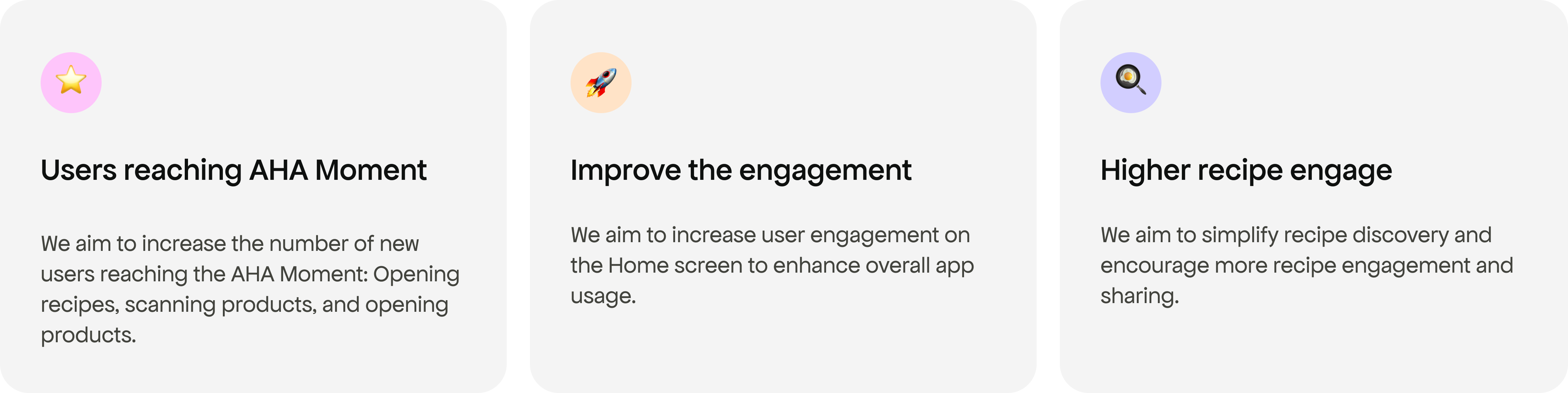
Business Goals
Discover & Define
What did we have before?
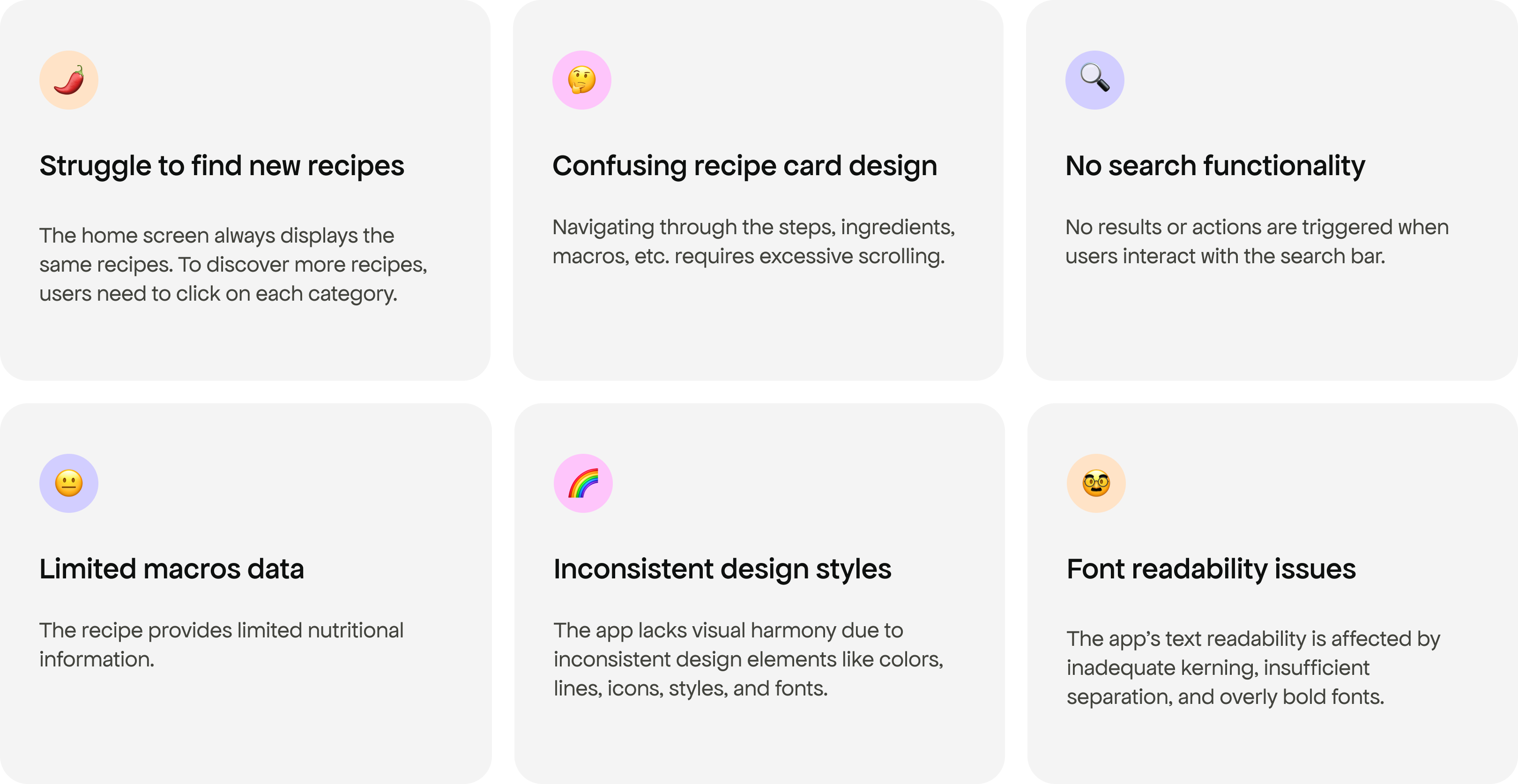
Customer problems: Home, Discover & Recipe
I collected user feedback gathered by the customer support team, filtered information concerning the home screen, discovery, and recipe cards. Additionally, I conducted usability testing with our current design and analyzed competitors.
Deliver
Style Guidelines
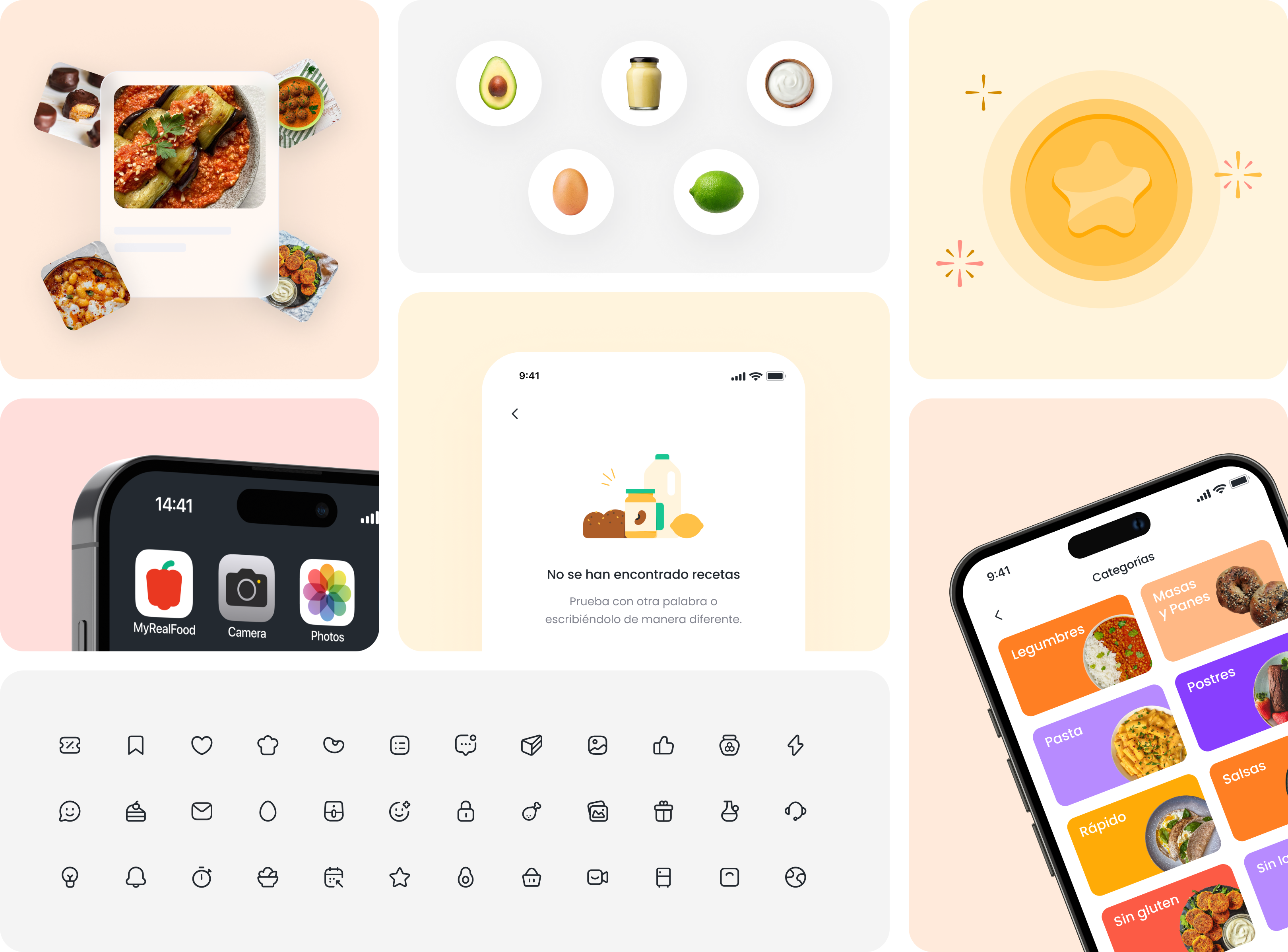
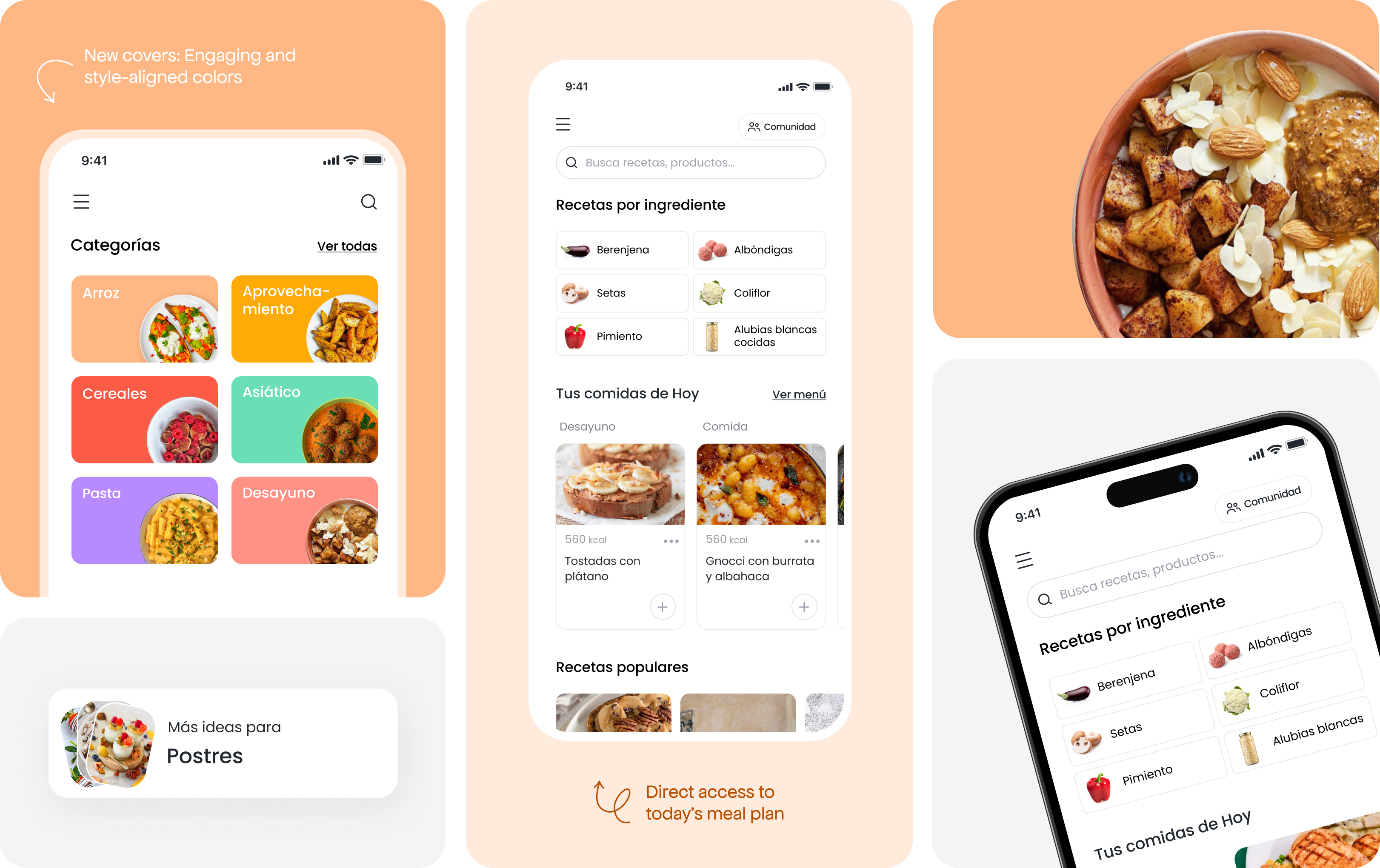
I developed a comprehensive style guide for the app, aligning colors with the new branding, creating illustrations, implementing complete iconography, and introducing new UI styles. The aim was to achieve a minimal, simple, spacious, and clear design aesthetic
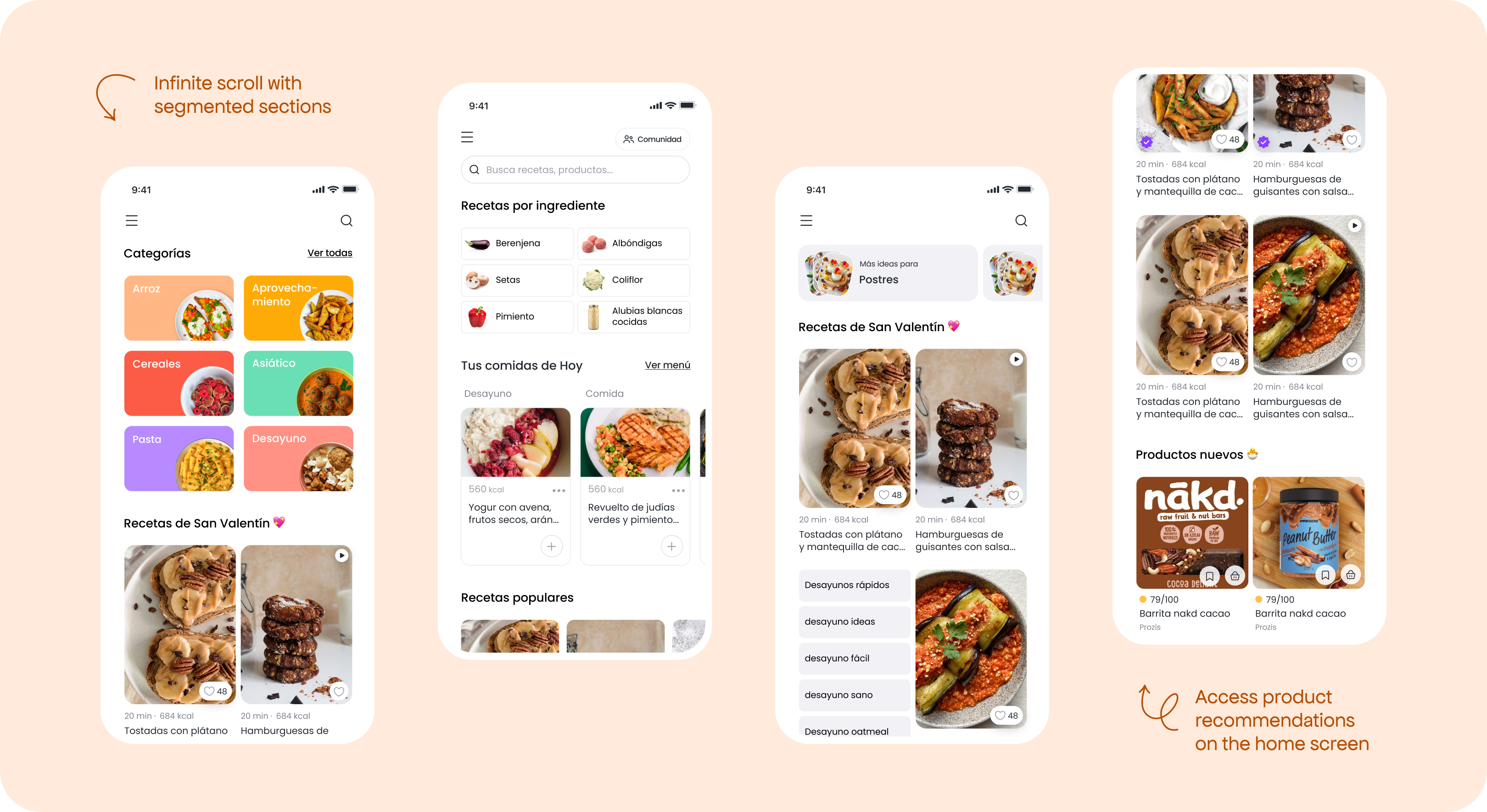
Infinite scroll & search suggestion
The infinite scroll allows users to discover different recipes effortlessly.
I incorporated search suggestions based on ingredients and topics, making the process of finding recipes much easier.
Furthermore, recipes and related products are now presented together for a more integrated experience.
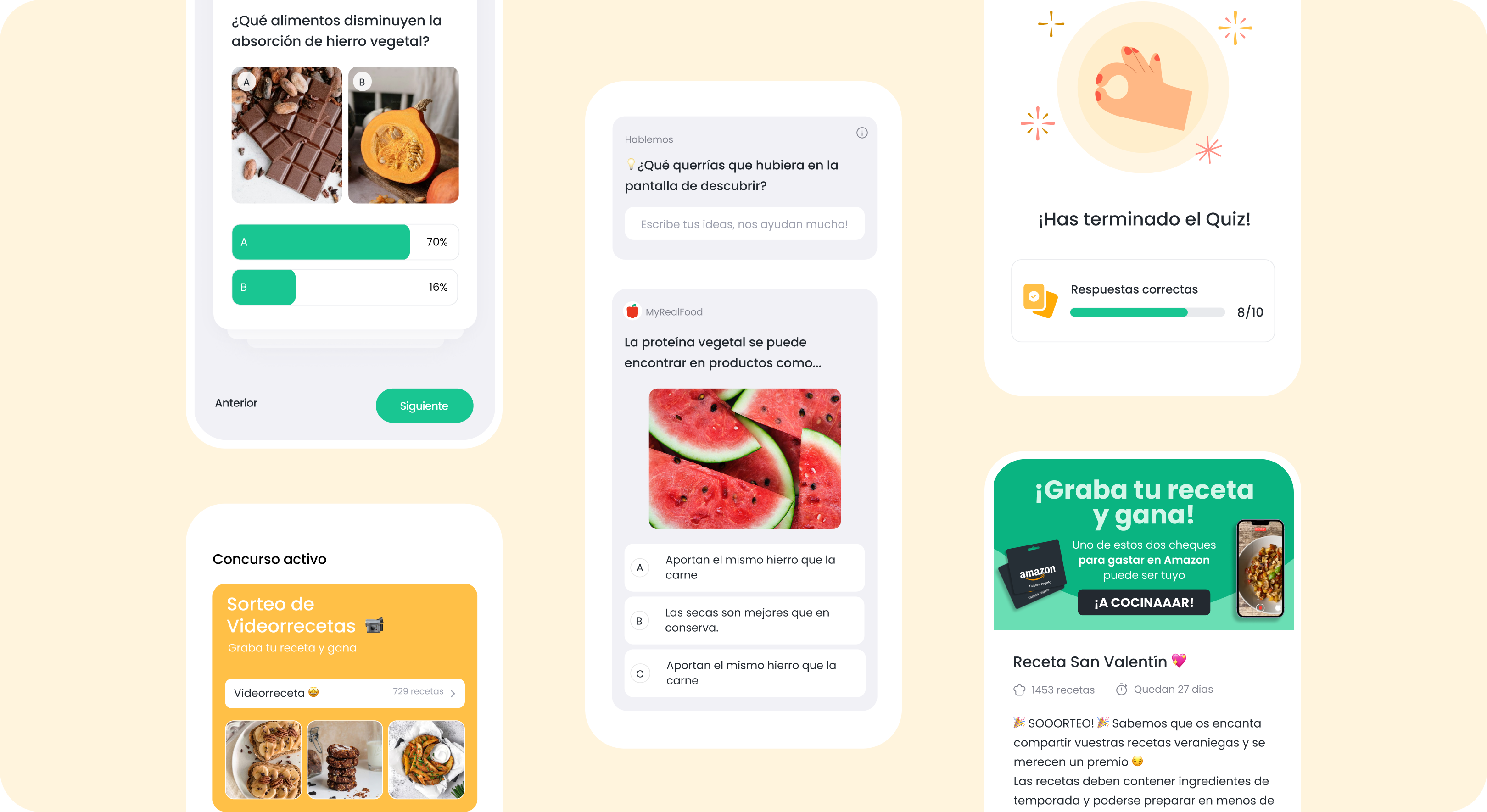
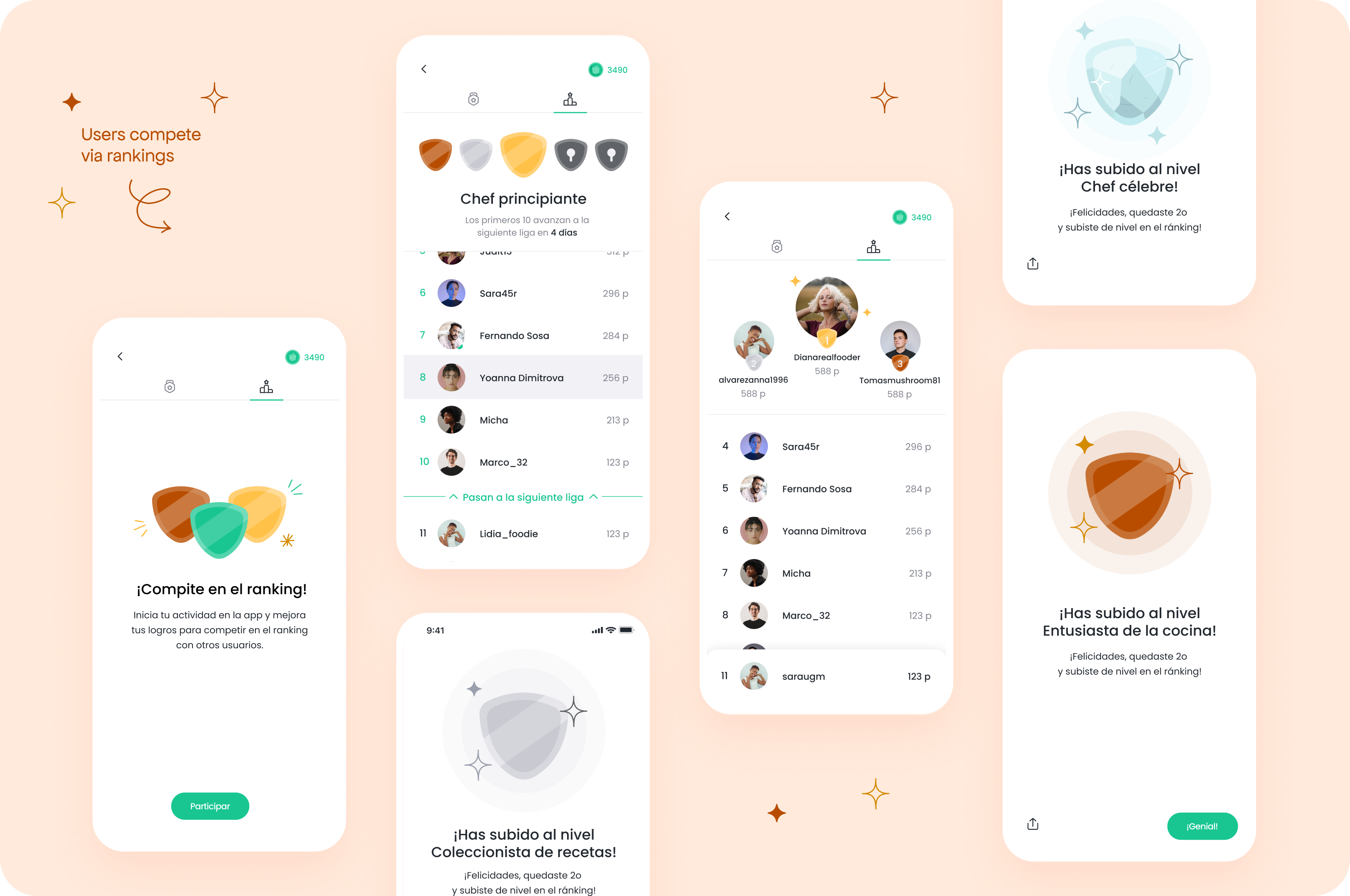
Quizzes and Challenges
To enhance user engagement, I introduced educational quizzes centered around nutrition.
Users can also participate in challenges with others, fostering a sense of competition.
Improved usability and accessibility
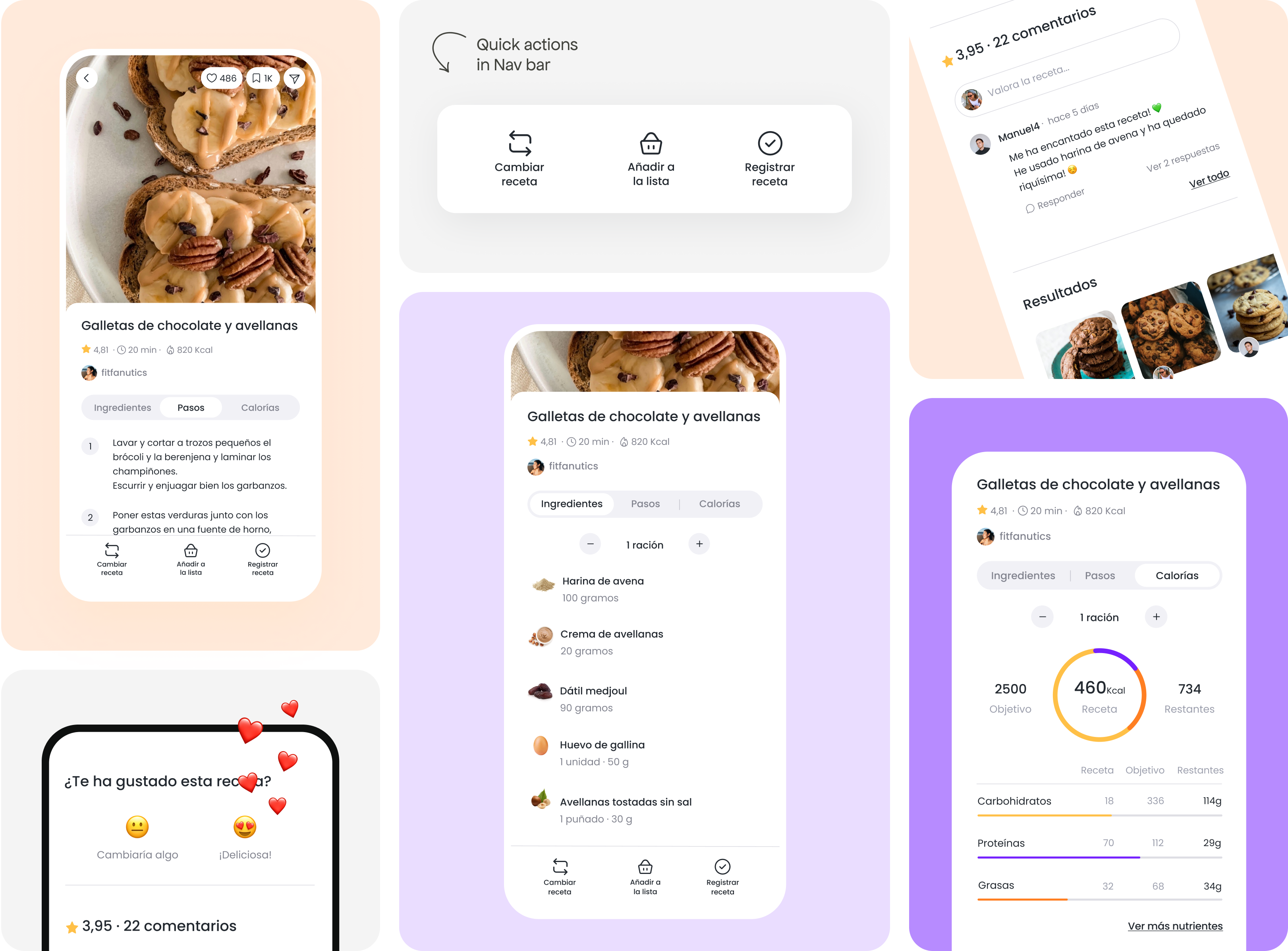
I concentrated on making all information more accessible. I placed all user actions in the header or in a Tab bar.
New UI aligned with Branding
Additionally, I redesigned the UI for a cleaner look. I introduced a more visual UI to display the nutritional values of the recipe and improved interaction in the comments, making it easier to reply, link, and share pictures.
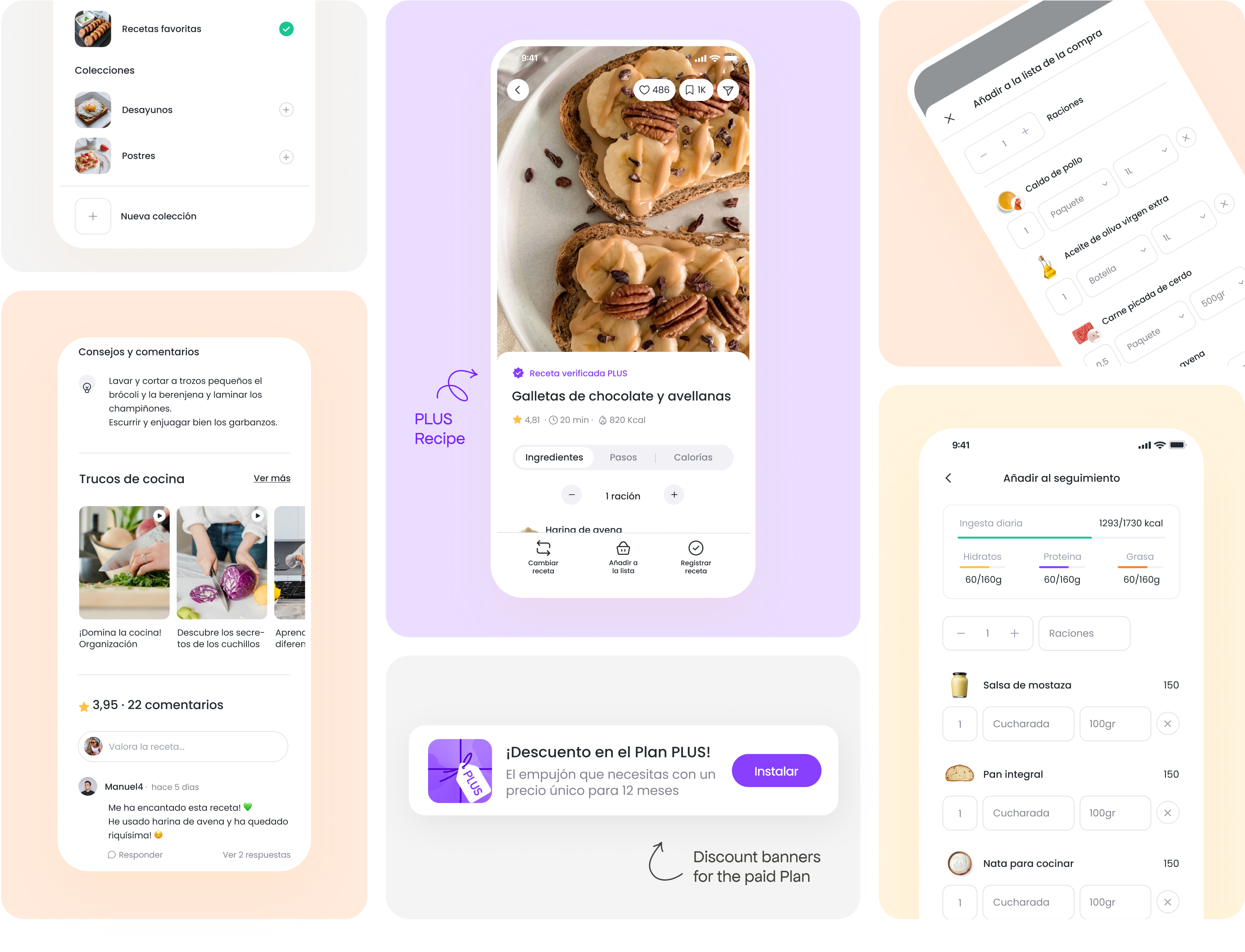
Save to favorites
I redesigned the flow for adding recipes to favorites, making it quicker and easier to select folders and create new ones.
Verified PLUS Recipes
Verified recipes are now marked with a purple badge for quick identification, enhancing user trust and clarity in the redesigned UXUI.
Add to tracer & shopping list
I created and designed screen flows for previously uncharted actions: adding to shopping list and tracking. Users can now select portions and ingredients seamlessly from a user-friendly screen.
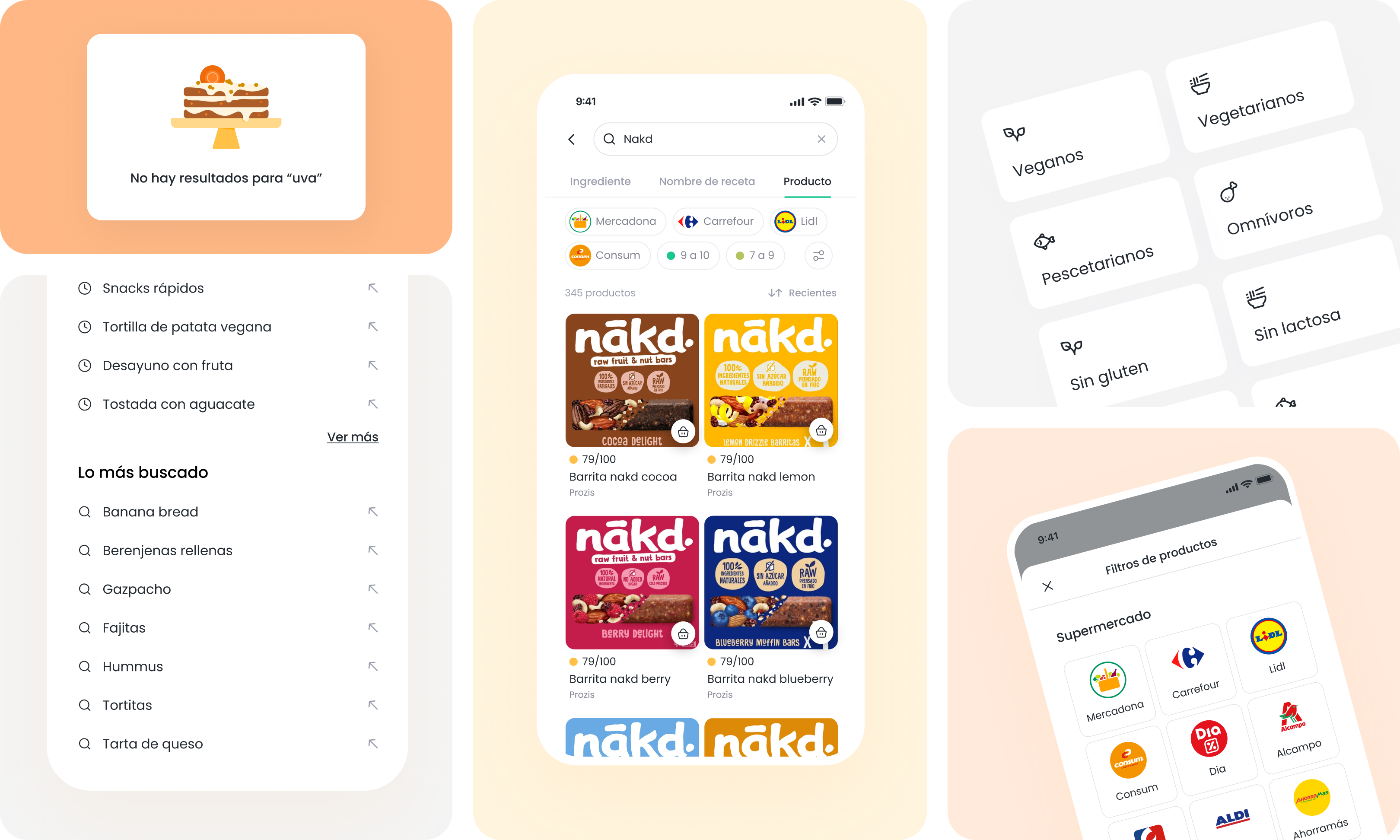
Search results and suggestions
By clicking on the search bar, users can easily access their recent searches and suggestions. Whether searching by recipe name, ingredient, or products, the search flow is designed to be straightforward and user-friendly, facilitating a seamless experience for discovering and finding recipes.
Product and recipe filters
I improved recipe and product discovery by implementing user-friendly filters on the results screen. For products, users can now filter by supermarket or specific features, with each filter accompanied by a custom icon for intuitive selection. Additionally, I crafted a visually engaging graphic for the empty results screen.